How to Build a Freelance Portfolio That Wins Clients (Even With No Experience)


When a client looks for a freelancer, they rarely start by reading your profile description. They look at your work. A strong portfolio answers the question every client has in mind: “Can this person do what I need, at the quality I expect?” If your portfolio answers that question quickly and clearly, you will win more projects, even against freelancers with more experience.
The problem is that many beginners think they cannot build a portfolio until they have clients, and they cannot get clients without a portfolio. This guide breaks that loop. You will learn what a good portfolio contains, how to create real samples before your first paid job, where to publish them and how to present each project so it sells your skills for you.
What a freelance portfolio really is
A portfolio is not a gallery of everything you have ever made. It is a short, carefully chosen selection of work that proves you can solve a specific type of problem for a specific type of client. Think of it as a sales page where the product is your skill.
A good portfolio has four qualities:
- Focused. It shows one or two services, not ten. “Logo design for small cafés” is easier to trust than “design, writing, video and coding”.
- Selective. Five excellent samples beat twenty average ones. Clients judge you by your weakest piece.
- Explained. Each project says what the goal was, what you did and what the result was.
- Easy to reach. One link that opens fast on a phone, with a clear way to contact you.
Step 1: Choose the service you want to be hired for
Before you create anything, decide what you want clients to pay you for. Your portfolio should point in one direction. Write one sentence that describes your offer, for example:
- “I write clear, SEO-friendly blog articles for small online shops.”
- “I design social media posts for restaurants and cafés.”
- “I edit short vertical videos for coaches and small brands.”
- “I build simple, fast WordPress websites for local businesses.”
This sentence decides which samples you create, which words you use in your titles and which clients you contact later. If you are still choosing a skill, start with something you already do reasonably well and can practise every day.
Step 2: Create real samples before your first client
You do not need paid work to show your ability. You need realistic work that looks like what a client would order. Here are four honest ways to create it.
1. Self-initiated projects
Create the work you would like to be hired for. A writer can publish three in-depth articles on a topic in their niche. A designer can create a full brand kit for an imaginary bakery. A video editor can cut a 30-second promo from free stock footage. Always label these clearly as concept or personal projects.
2. Redesigns and “before and after” work
Pick a public example that could be better, such as a confusing landing page, a weak product description or a poorly lit product photo, and create your improved version. Show the original next to yours and explain your decisions. This proves you can see problems and fix them, which is exactly what clients pay for. Do not present it as work you did for that company.
3. Small projects for people you know
Offer a free or low-cost project to a local shop, a friend’s business or a community group, in exchange for permission to show the work and a short written review. Agree on the scope in writing, even if it is only a message, so that both sides know what will be delivered.
4. Volunteer work for non-profits
Charities, schools and community projects often need help with posters, social media or simple websites. Volunteering gives you real briefs, real feedback and a real reference.
Aim for three to five strong samples to start. That is enough to apply for your first projects, and you can replace them with paid work over time.
Step 3: Present every project as a short case study
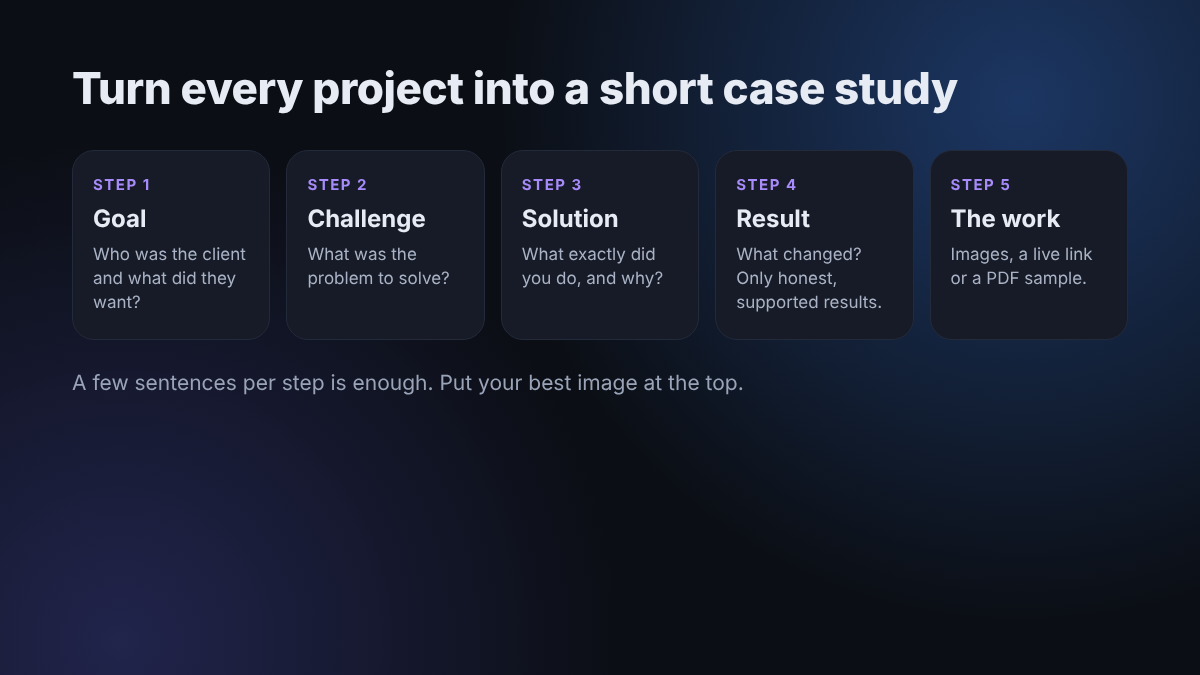
The biggest difference between an average portfolio and a professional one is the explanation. Clients do not just want to see the final image or article; they want to understand how you think. Use this simple structure for every project
- The client and the goal. “A small coffee shop wanted more people to order online instead of calling.”
- The challenge. “The old menu was a blurry photo that was hard to read on a phone.”
- What you did. “I designed a clean digital menu, grouped items by category and highlighted the three best sellers.”
- The result. “The owner reported fewer phone questions and started sharing the menu link on Instagram.” Only include results you can honestly support; if it is a concept project, describe the expected benefit instead.
- The work itself. Images, a link to the live page, or a PDF sample.
Keep each case study short: a few sentences per section is enough. Busy clients scan, so use headings and put the most impressive image at the top.
Step 4: Choose where to publish your portfolio
You need at least one central place where all your best work lives. Here are common options, from simplest to most professional:
- Your freelance platform profile. Most marketplaces let you add portfolio items directly to your profile. This is essential if you plan to find work there.
- A free portfolio platform. Designers often use Behance or Dribbble; writers can use a simple writing portfolio site or a public collection of articles; developers usually rely on GitHub plus a short project page.
- A shared document or PDF. A clean, well-designed PDF of five to eight pages is easy to send by email or message. It works well when you contact clients directly.
- Your own website. A one-page site with your name or brand as the domain looks the most professional and you control everything on it. It does not need to be complex: a short introduction, your services, your case studies and a contact section.
Whatever you choose, test it on your phone. Many clients will open your link on mobile, and a slow or broken page makes a bad first impression.
Step 5: Add trust signals
Good work gets attention; trust gets you hired. Add these elements around your samples:
- A clear photo and a short introduction. Two or three sentences about who you are, what you do and who you help.
- Testimonials. Even one or two short, real reviews make a big difference. Use the person’s name and business only with their permission.
- Your process. A simple list such as “Brief → First draft in 3 days → Two rounds of revisions → Final files” shows clients what to expect.
- A clear call to action. Tell visitors exactly how to contact you and what to send: “Email me with your project goal and deadline.”
Common portfolio mistakes to avoid
- Showing work you do not want to do again. You will be hired for what you show.
- Using other people’s work or copied templates as your own. It is dishonest and clients often notice. Platforms can also close accounts for it.
- Sharing confidential client work without permission. Always ask first, or remove private details.
- No explanation. A grid of images with no context makes the client guess what you did.
- Never updating it. Replace older pieces as soon as you have better, paid work.
- Hiding your contact details. If a client has to search for how to reach you, they may simply leave.
A simple portfolio checklist
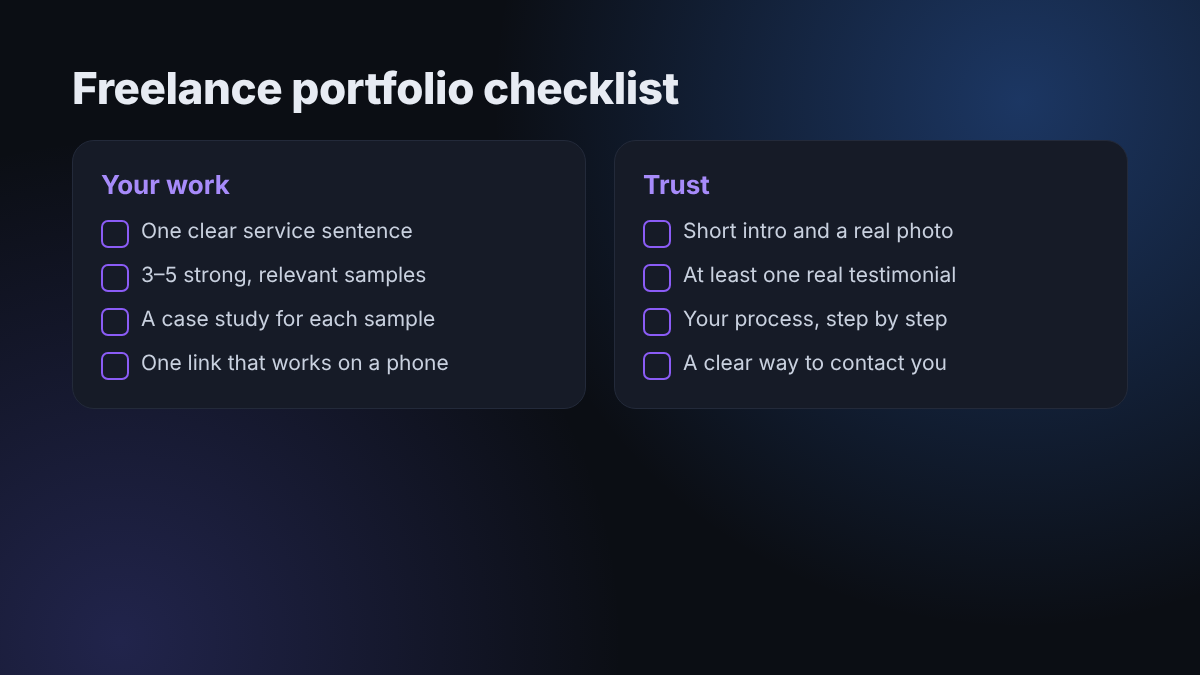
- One sentence that describes your service and your ideal client
- Three to five strong, relevant samples
- A short case study for each sample (goal, challenge, solution, result)
- One main link that works well on a phone
- A short introduction with a professional photo
- At least one real testimonial, as soon as you can get it
- A clear way to contact you
Frequently asked questions
How many samples should a beginner include?
Three to five is a good starting point. It is enough to show your skill and style without including weaker pieces. Add more only when they are better than what you already have.
Can I include projects I did for free?
Yes. Free, volunteer and personal projects are perfectly acceptable, as long as you describe them honestly. What matters to clients is the quality of the work and how well it matches their needs.
Do I need my own website?
Not at the start. A complete marketplace profile or a clean PDF is enough to begin applying. A personal website becomes very useful later, when you want to contact clients directly and look more established.
How often should I update my portfolio?
Review it every two or three months, or after any project you are proud of. Replace your weakest sample with your newest strong one, so your portfolio keeps getting better over time.
Final thoughts
You do not need years of experience to build a portfolio that wins clients. You need a clear service, a handful of realistic samples and short explanations that show how you solve problems. Start with three projects this week, publish them in one place and keep improving them as real work comes in. Once your portfolio is ready, the next step is to put it in front of the right people. Browse more practical growth guides on our blog.
Want help growing faster?
Tell us about your channel, page or website and we'll suggest the right package.
See Packages Ask on TelegramKeep reading
Best Ways to Make Money From Home: Real Options That Actually Pay
In 2024, 13.3% of people in the United States worked from home, but the best income path still depends on how you want to work. If…
Read more →Affiliate Marketing Platform Case Study: Growing Sales
A business with a solid offer can still struggle to reach new customers consistently, and an affiliate marketing platform may offer a way to build that…
Read more →