How to Do Keyword Research for Free: A Step-by-Step Guide for Beginners
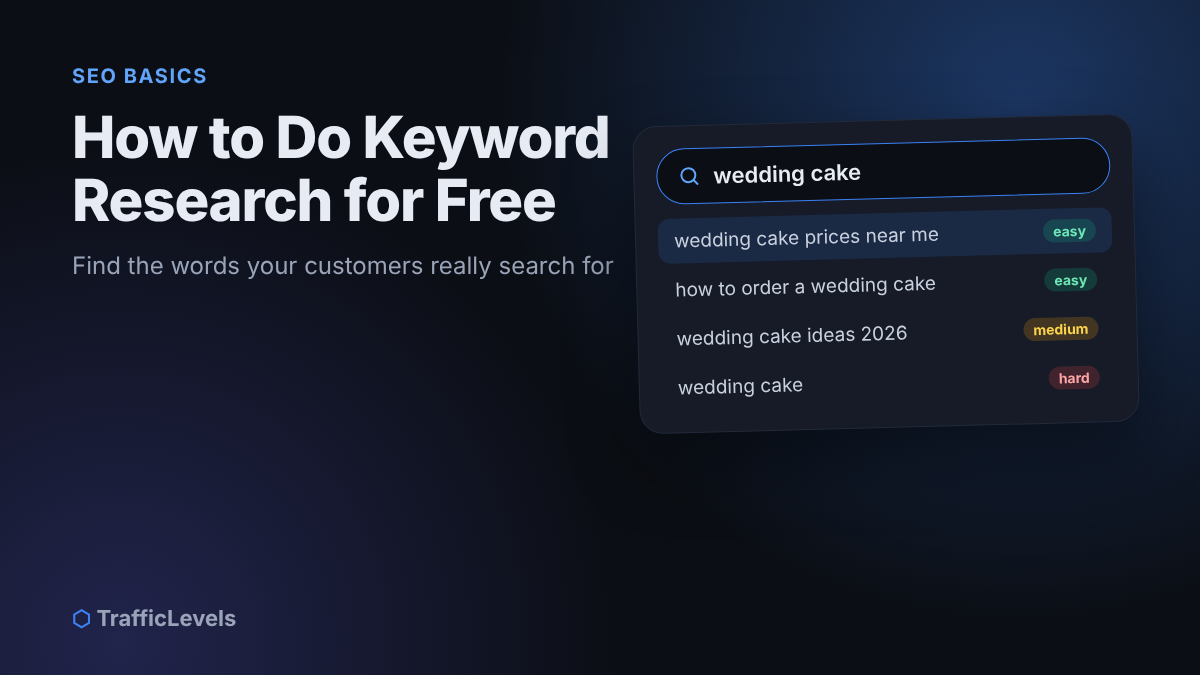
You can write the most helpful article on the internet, but if nobody searches for the words you used, almost nobody will find it. Keyword research solves that problem. It shows you the exact words and questions your customers type into Google, so you can create pages that match what they are already looking for.
The good news: you do not need expensive SEO tools to start. In this guide you will learn how to do keyword research for free, step by step, using Google itself and a few free tools. By the end, you will have a short list of keywords you can actually rank for, and a clear plan for using them.
What is keyword research?
Keyword research is the process of finding the search terms people use when they look for information, products or services like yours, and then choosing which of those terms to target with your content.
A good keyword has three qualities:
- Relevant. It matches what your business offers or knows well.
- Searched. Real people look for it, even if the number is small.
- Winnable. The pages currently ranking for it are not impossible to compete with.
For small websites, the best opportunities are usually long-tail keywords: longer, more specific phrases such as “how to choose a wedding cake for 100 guests” instead of just “wedding cake”. They have fewer searches, but the people searching know exactly what they want, and there is far less competition.
Step 1: Start with seed topics
Seed topics are the broad subjects your business is about. Write down five to ten of them. Think about your products, your services and the problems your customers bring to you.
For example, a small bakery might start with:
- wedding cakes
- birthday cakes
- custom cake orders
- gluten-free baking
- cake delivery
Do not worry about volume or competition yet. These seeds are only the starting point for finding more specific ideas.
Step 2: Understand search intent
Before collecting keywords, you need to understand why people search. Google ranks pages that best match the purpose behind a search, which is called search intent.
- Informational: the person wants to learn something (“how to store a cake overnight”).
- Commercial: they are comparing options before buying (“best bakery for wedding cakes”).
- Transactional: they are ready to act (“order birthday cake online”).
- Navigational: they want a specific brand or website.
The type of page you create must match the intent. A “how to” search needs a helpful guide, not a sales page. A “buy” or “order” search needs a product or service page with clear prices and a way to contact you. If you are not sure, search the keyword yourself and look at what kind of pages Google already shows on the first page.
Step 3: Collect keyword ideas with free tools
Now turn each seed topic into a list of specific phrases. These free sources are enough for most small businesses:
Google autocomplete
Type a seed topic into Google slowly and write down every suggestion that appears. Try adding letters after it (“wedding cake a”, “wedding cake b”) or question words before it (“how”, “why”, “what”, “where”). These suggestions come from real searches.
People also ask
Many search results include a “People also ask” box. Each question is a ready-made topic or subheading for your content, and clicking one often reveals more questions.
Related searches
Scroll to the bottom of the results page. Google lists related searches that can lead you to new angles and longer phrases.
Google Keyword Planner
Keyword Planner is free to use inside a Google Ads account; you do not need to run an ad to use it. It suggests related keywords and shows ranges of monthly searches, which helps you compare ideas. Treat the numbers as rough estimates, not exact figures.
Google Trends
Google Trends shows how interest in a term changes over time and by country or region. It is useful for spotting seasonal topics, such as wedding season or holidays, and for choosing between two similar phrases.
Google Search Console
If your website is already live, Search Console is the most valuable free source of all. The Performance report shows the actual search terms that make your pages appear in Google. Look for queries with many impressions but few clicks; these are often quick wins. If you have not set it up yet, follow our Google Search Console setup guide.
Put every idea into a simple spreadsheet. Aim for 30 to 50 phrases before you start choosing.
Step 4: Check the competition
Free tools do not always give an exact “difficulty” score, but you can judge competition yourself by searching each keyword and studying the first page of results. Ask:
- Who is ranking? If the first page is full of very large, famous websites, it will be hard for a new site. If you see forums, small blogs or thin pages, you have a chance.
- How good are the top pages? If they are short, outdated or do not fully answer the question, you can create something better.
- Do the results match the intent you planned? If Google shows only product pages and you planned a blog post, choose a different keyword or change your page type.
Step 5: Score and choose your keywords
Now give each keyword a quick score for relevance, intent and competition, and decide which ones to target first.
Start with keywords that are highly relevant, low in competition and close to a sale or enquiry. Local phrases, such as a service plus your city, are often the best first targets for small businesses because large national websites rarely focus on them.
Then group similar keywords together. “How to choose a wedding cake”, “wedding cake size guide” and “how many tiers for a wedding cake” can often be answered on one strong page instead of three thin ones. One page should target one main keyword plus a few closely related phrases.
Step 6: Use your keyword in the right places
Once you have chosen a keyword for a page, use it naturally in these places:
- The title (the H1 heading), ideally near the beginning.
- The URL, kept short: /how-to-choose-a-wedding-cake/.
- The first paragraph, so readers and search engines immediately understand the topic.
- One or two subheadings, where it fits naturally.
- The meta description, the short summary shown in search results.
- Image alt text, when it honestly describes the image.
Write for people first. Repeating a keyword again and again (keyword stuffing) makes your text harder to read and does not help you rank. Instead, answer the related questions you collected; this naturally covers the words and phrases people use.
Common keyword research mistakes
- Targeting only short, popular keywords. “Shoes” or “marketing” are almost impossible for a small site. Go specific.
- Ignoring intent. A perfect article will not rank for a keyword where Google only shows shops.
- Trusting volume numbers too much. Free tools give estimates. A keyword with “10–100” searches can still bring valuable customers.
- Creating many pages for the same topic. Pages that compete with each other weaken both. Combine them.
- Never checking results. Keyword research is not a one-time task. Review your Search Console data every month.
Keyword research checklist
Find: list your seed topics, collect ideas from free tools, check the intent behind each phrase and study the pages that currently rank.
Use: choose one main keyword per page, place it in the title, URL and introduction, answer related questions, and track your results in Search Console.
Frequently asked questions
How many keywords should one page target?
One main keyword, plus a handful of closely related phrases and questions. If two keywords need very different answers, they deserve separate pages.
Is a keyword with low search volume worth targeting?
Often, yes. Low-volume, specific keywords usually have less competition and attract visitors with a clear need. Several of these pages together can bring steady, high-quality traffic.
How long does it take to rank?
It depends on the competition, the quality of your page and the age and authority of your website. New pages commonly take several weeks to a few months to settle in search results. Publishing consistently and improving older pages helps.
Do I need paid SEO tools?
Not to start. Google’s own features, Keyword Planner, Trends and Search Console are enough to build a solid keyword list. Paid tools save time and give more data once your website grows.
Summary
Free keyword research comes down to six steps: start with seed topics, understand search intent, collect ideas from Google and free tools, check the competition, choose specific keywords you can win, and use them naturally on well-structured pages. Do this for every new page, and your content will start meeting your customers exactly where they are searching.
Want an expert to find the best keywords for your website and fix your on-page SEO? Our Audit package gives you a written list of priorities. You can also read our guide on building a landing page that converts to turn your new visitors into customers.
Want help growing faster?
Tell us about your channel, page or website and we'll suggest the right package.
See Packages Ask on TelegramKeep reading
Best Ways to Make Money From Home: Real Options That Actually Pay
In 2024, 13.3% of people in the United States worked from home, but the best income path still depends on how you want to work. If…
Read more →Affiliate Marketing Platform Case Study: Growing Sales
A business with a solid offer can still struggle to reach new customers consistently, and an affiliate marketing platform may offer a way to build that…
Read more →