How to Repurpose One Piece of Content Into 10 Posts
Creating good content takes time. You plan the idea, film or write it, edit it, publish it, and two days later it disappears from everyone’s feed. Then you start again from zero. For a small business with limited time, that cycle is exhausting and it is one of the main reasons people stop posting.
Content repurposing breaks that cycle. Instead of treating every post as a one-time effort, you turn one strong piece of content into many smaller pieces for different platforms and formats. In this guide you will learn how to choose what to repurpose, how to turn one video or article into ten posts, how to adapt each version for every platform and how to build a simple weekly workflow around it.
What content repurposing is (and is not)
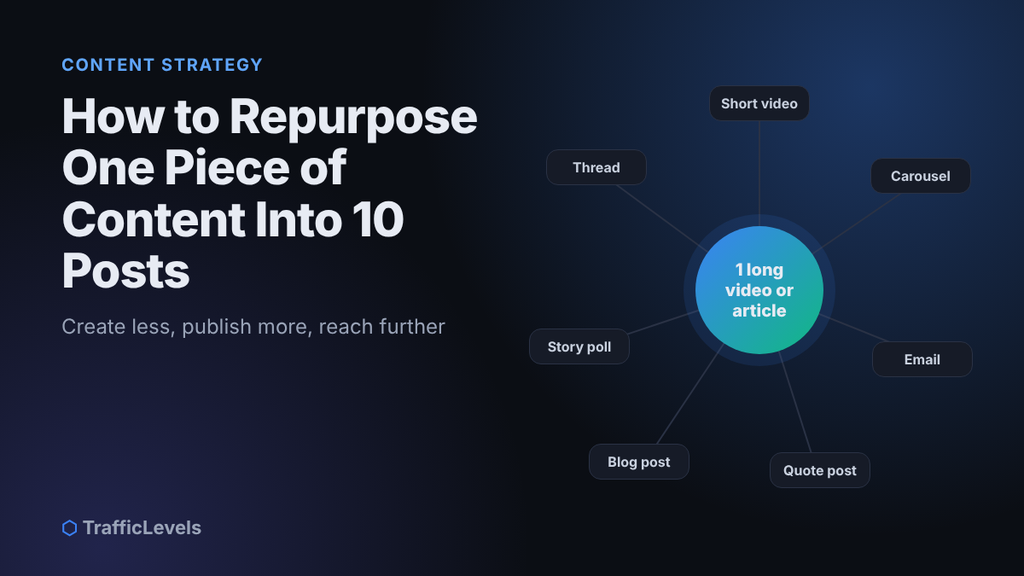
Repurposing means taking the ideas in one piece of content and presenting them again in a new format, for a new platform or for a new audience. A 10-minute video can become short clips, a carousel, a blog post, an email and a quote graphic.
It is not copying the same file everywhere without changes. Each platform has its own sizes, culture and audience expectations. Good repurposing keeps the core idea but adapts the hook, format and caption so every version feels native to where it is posted.
Why repurposing works
- Most of your audience missed it the first time. Only a portion of your followers see any single post, so a second or third version reaches people who never saw the original.
- People learn through repetition. Seeing the same message in different forms makes it more memorable.
- Different people prefer different formats. Some watch videos, some read, some only check email.
- It saves time. The research and thinking is already done; you are mostly editing and adapting.
- It strengthens your message. Repeating your core topics consistently helps people remember what you are known for.
Step 1: Start with your best “pillar” content
Repurposing works best when you start from one long, valuable piece of content, often called pillar content. Good starting points include:
- a detailed blog post or guide,
- a long YouTube video, webinar or live session,
- a podcast episode or recorded interview,
- a presentation or workshop you gave.
Even better, choose content that has already performed well: a post with many saves, a video with good watch time, an article that brings visitors from Google. Proven ideas are the safest to repurpose because you already know your audience cares about them.
Step 2: Turn one piece into ten posts
Read or watch your pillar content and list every idea inside it: tips, steps, statistics, mistakes, stories, questions and strong sentences. Then match each idea to a format. For example, from one 10-minute video about “5 mistakes when choosing a wedding photographer” you can create:
- Three short vertical clips, one for each of the strongest mistakes.
- A carousel that lists all five mistakes, one per slide.
- A quote graphic with your most memorable sentence.
- A blog post with the full explanation, which can also rank on Google.
- A newsletter email summarising the lessons with a link to the video.
- A Story poll: “Which mistake surprised you most?”
- A downloadable checklist that can become a lead magnet.
- An FAQ post answering one question viewers asked in the comments.
- A behind-the-scenes post showing how you recorded the video.
- A short text post sharing the main lesson in five lines.
Step 3: Follow a simple workflow
- Pick a winner. Choose one piece of pillar content per week or per month.
- Extract the ideas. Write a list of every tip, quote, story and step inside it. Auto-generated captions or a transcript make this much faster for videos.
- Match formats. Decide which idea becomes which type of post.
- Adapt each piece for its platform (see the next step).
- Schedule the posts over two to four weeks instead of publishing them all on the same day. Add them to your content calendar.
Step 4: Adapt for every platform
- Change the size. Use vertical 9:16 for Reels, TikTok and Stories, and square or portrait images for feeds.
- Write a new hook. The first line of a caption or the first two seconds of a video should be written for that specific audience.
- Remove watermarks. Upload clean files instead of downloading a video from one app and posting it on another with its logo. Our comparison of Instagram Reels and TikTok explains why.
- Adjust the tone. TikTok is usually more casual, LinkedIn more professional, email more personal.
- Use the right call to action. “Save this for later” on Instagram, “Reply and tell me” in email, “Read the full guide” on social posts that link to your blog.
Tools that make repurposing easier
- Transcripts and captions: many video platforms and editing apps can generate captions automatically, which gives you written text to work from.
- Simple design tools with templates for carousels, quote graphics and Stories.
- Mobile video editors to cut long videos into short vertical clips with captions.
- Scheduling tools, including the free schedulers built into many platforms.
- A shared folder where you keep original recordings, images and text for every pillar piece.
Common repurposing mistakes
- Posting identical copies everywhere with the same caption and size.
- Repurposing weak content. If the original did not help anyone, ten versions of it will not either.
- Publishing everything at once. Spread versions out so each one gets its own moment.
- Forgetting to link back. Short posts are a great way to send people to your full article, video or offer.
- Not measuring. Track which format performs best for each platform and make more of it.
Content repurposing checklist
Plan: choose one proven piece of content, list eight to ten ideas inside it, match each idea to a format and keep your original files organised.
Publish: write a new hook for every post, use native sizes without watermarks, spread the posts over two to four weeks and track which versions perform best.
Frequently asked questions
Will my followers get bored of seeing the same content?
Usually not. Most followers do not see every post, and a new format presents the idea from a different angle. Change the hook, examples and visuals so each version feels fresh.
How often can I repurpose the same piece?
Evergreen content, meaning advice that stays true over time, can be repurposed again months later. Update facts, examples and visuals each time.
Is repurposed content bad for SEO?
Social posts, videos and emails based on your blog post do not harm your website’s SEO. Avoid publishing the same full article on several websites; instead, publish the full version on your own site and share summaries elsewhere with a link back.
Should I start with video or writing?
Start with whatever is easiest for you to create well. Video can easily become text through transcripts, and a strong article can become a video script. Both work.
Summary
Content repurposing lets you create less and publish more. Start with one strong piece of pillar content, extract every useful idea inside it, turn those ideas into ten formats, adapt each one for its platform and spread them over a few weeks. You will save hours every week, stay consistent and reach people who missed your content the first time.
Want a team to plan and repurpose your content every month? Our Growth package includes monthly content planning and designed posts or short videos for two platforms.
Want help growing faster?
Tell us about your channel, page or website and we'll suggest the right package.
See Packages Ask on TelegramKeep reading
Best Ways to Make Money From Home: Real Options That Actually Pay
In 2024, 13.3% of people in the United States worked from home, but the best income path still depends on how you want to work. If…
Read more →Affiliate Marketing Platform Case Study: Growing Sales
A business with a solid offer can still struggle to reach new customers consistently, and an affiliate marketing platform may offer a way to build that…
Read more →