How to Use UTM Links to Track Your Marketing (A Simple Guide)
You post on Instagram, send a newsletter, run a Facebook ad and share your link in a WhatsApp group. A week later, your website has more visitors and a few new orders. But which of those actions actually worked? Without tracking, you are guessing, and guessing is an expensive way to spend a marketing budget.
UTM links fix this. They are ordinary links with a few extra words at the end that tell your analytics tool exactly where each visitor came from. In this guide you will learn what UTM parameters are, how to build UTM links for free, how to name them so your reports stay clean and where to read the results in Google Analytics 4.
What is a UTM link?
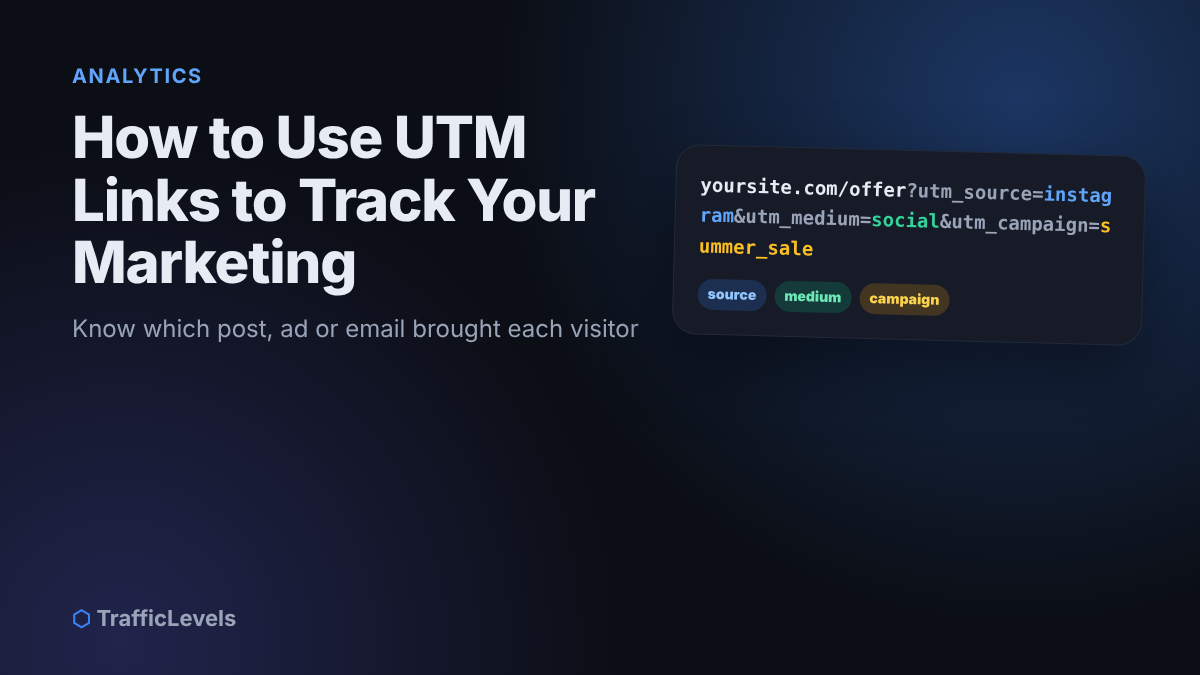
A UTM link is a normal URL with tracking tags (called parameters) added after a question mark. For example:
When someone clicks this link, they land on the same page as usual. Nothing changes for the visitor. But your analytics tool reads the tags and records that this visit came from Instagram, through a social channel, as part of the summer_sale campaign.
UTM tracking is especially useful for clicks that analytics tools often cannot identify correctly on their own, such as links in emails, PDF files, messaging apps, QR codes and some mobile apps. Without tags, many of those visits can end up grouped as “direct” traffic, with no clue about where they really came from.
The five UTM parameters
- utm_source: the website, platform or sender that sent the traffic, such as facebook, instagram, newsletter or google.
- utm_medium: the type of channel, such as social, email, cpc (paid ads), referral or qr.
- utm_campaign: the name of the promotion, launch or project, such as summer_sale or new_menu_2026.
- utm_content (optional): which specific link, post or ad version was clicked, such as story_video or footer_button. Very useful for comparing two versions of the same ad.
- utm_term (optional): mainly used for paid search keywords.
For most small businesses, source, medium and campaign are enough. Add content when you want to compare different posts or ad designs inside one campaign.
How to create a UTM link in 4 steps
- Choose the page you want people to visit. Use the exact final address, for example your product page or landing page, not your home page if the offer lives elsewhere.
- Open a free UTM builder. Google offers a free Campaign URL Builder for Google Analytics, and many link and email tools have one built in. You can also add the tags by hand, but a builder prevents typing mistakes.
- Fill in source, medium and campaign (and content if needed), following your naming rules below.
- Copy the generated link, test it by opening it in your browser, and then use it in your post, ad, email or QR code. If the link is long, you can shorten it with a link shortener. The tags are kept when the short link redirects.
Naming rules that keep your reports clean
The most common UTM problem is not technical. It is inconsistent naming. Analytics tools treat Facebook, facebook and fb as three different sources, so your results get split into confusing pieces.
- Use lowercase only. UTM values are case-sensitive in reports.
- Use underscores or hyphens instead of spaces, and avoid special characters.
- Keep a shared spreadsheet with every source, medium and campaign name you use, and copy from it every time.
- Be descriptive but short. ramadan_offer_2026 is clearer than campaign1.
- Never tag links between pages of your own website. Internal UTM links can overwrite the original source of the visit and break your data.
- Never put personal information such as names, emails or phone numbers inside UTM values.
Real examples you can copy
- Instagram bio link:
?utm_source=instagram&utm_medium=social&utm_campaign=bio_link - Monthly newsletter:
?utm_source=newsletter&utm_medium=email&utm_campaign=october_2026 - Facebook ad, two designs:
?utm_source=facebook&utm_medium=cpc&utm_campaign=summer_sale&utm_content=video_aand…&utm_content=image_b - QR code on a flyer:
?utm_source=flyer&utm_medium=qr&utm_campaign=shop_opening - WhatsApp broadcast:
?utm_source=whatsapp&utm_medium=messaging&utm_campaign=weekend_offer
If you use WhatsApp to reach customers, our guide to WhatsApp Business for small businesses shows how to combine broadcasts with tracked links.
Where to see the results in Google Analytics 4
In Google Analytics 4, open Reports → Acquisition → Traffic acquisition. Change the main dimension to Session source / medium to see your sources, or to Session campaign to compare campaigns. Look beyond the number of sessions: check engagement and key events (the actions you have marked as important, such as purchases, form submissions or clicks on your contact button).
Give new links a few days to collect data before judging them. Then ask simple questions: Which source brought the most enquiries? Which ad version kept people on the page longest? Which email brought visitors who actually bought?
Common UTM mistakes to avoid
- Inconsistent spelling that splits one source into several rows.
- Tagging internal links, such as banners on your own home page.
- Forgetting to test. A typo in the page address sends people to an error page.
- Tracking clicks but not results. Set up key events so you can see sales and enquiries, not just visits.
- Making it too complicated. Start with a few clear names and grow your system as you need it.
UTM checklist
Before sharing a link: set source, medium and campaign; use lowercase with no spaces; add the names to your UTM sheet; and test the link in a browser.
After a week: open Traffic acquisition in GA4, compare sessions and key events, keep investing in what brings customers and fix or stop what does not.
Frequently asked questions
Do UTM links affect SEO?
Using UTM links in your social posts, ads and emails does not harm your search rankings. Just avoid using them on internal links and in links you want search engines to treat as your main page addresses.
Do I need Google Analytics to use UTMs?
You need an analytics tool that reads UTM parameters. Google Analytics 4 is free and widely used, and many other analytics and email tools also read UTM tags.
Can visitors see the UTM tags?
Yes, they appear in the address bar. That is normal. Keep the values professional and never include private information. You can shorten long links if you prefer a cleaner look.
Should I use UTMs for Google Ads?
If your Google Ads account is linked to Google Analytics with auto-tagging turned on, Google already tracks those clicks automatically. Manual UTMs are most useful for other platforms, emails, QR codes and messaging apps.
Summary
UTM links turn guesswork into clear answers. Add source, medium and campaign to every link you share outside your website, keep your names consistent, test before you publish and check the Traffic acquisition report in GA4 every week. Within a month, you will know exactly which channels bring real customers and where to spend your time and budget.
Want help setting up tracking and understanding your results? Our Audit package includes a review of your analytics and a clear action list. To plan your channels first, read our simple marketing plan for small businesses.
Want help growing faster?
Tell us about your channel, page or website and we'll suggest the right package.
See Packages Ask on TelegramKeep reading
Best Ways to Make Money From Home: Real Options That Actually Pay
In 2024, 13.3% of people in the United States worked from home, but the best income path still depends on how you want to work. If…
Read more →Affiliate Marketing Platform Case Study: Growing Sales
A business with a solid offer can still struggle to reach new customers consistently, and an affiliate marketing platform may offer a way to build that…
Read more →